October 18, 2026
Maximize Your Podcast Recording Session in Toronto: Prep Guide
Learn how to maximize your podcast recording session in Toronto with this first-timer prep guide. Tips, gear advice, and studio hacks from DollaStudio.
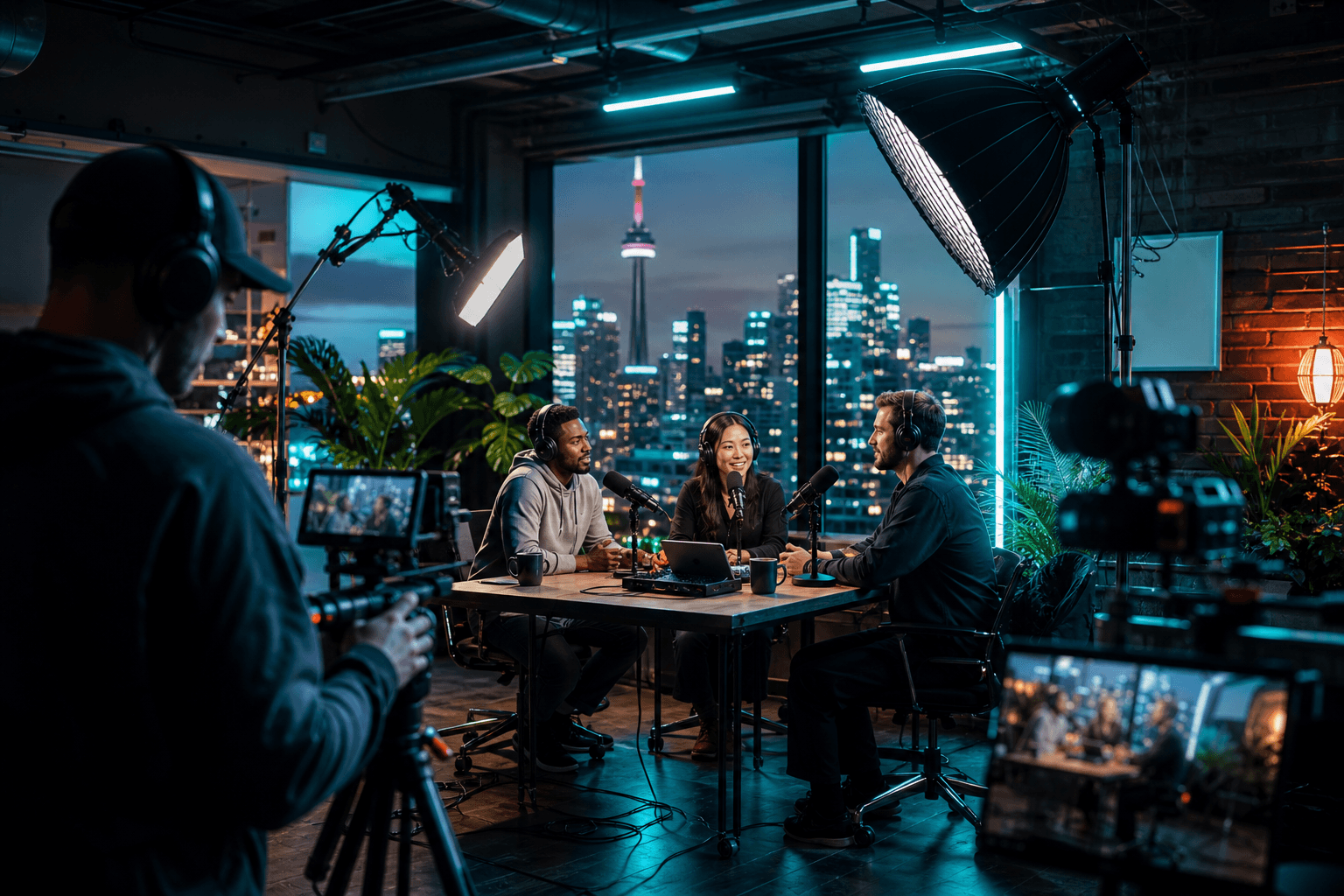
So you've finally decided to stop thinking about launching that podcast and actually do it. Welcome to the club - Toronto's creator scene is exploding right now, and there's never been a better time to get your voice heard. But here's the thing: showing up to a recording studio unprepared is like showing up to a job interview in pajamas. The vibe might be chill, but the results won't be.
Whether you're a solo storyteller, a small business owner building your brand, an indie musician looking to launch a companion podcast, or a content creator ready to level up - this guide is built for you. We're breaking down everything you need to do before you hit that record button so that every minute in the studio counts. And trust us, when your first hour only costs you $1 (yes, seriously), you want to make it legendary.
This is your complete walkthrough on how to maximize your podcast recording session in Toronto, written specifically for first-timers who want pro results without the learning curve.
Know Your Format Before You Walk In the Door
One of the biggest mistakes first-time podcasters make is treating the studio like a brainstorming room. That's expensive - both in time and energy. Your studio time should be production time, not planning time.
Decide Your Episode Structure
Before your session, nail down:
- Episode length: Are you doing a tight 20-minute solo episode or a 60-minute interview deep-dive?
- Format: Solo monologue, co-hosted banter, guest interview, or a hybrid?
- Segments: Will you have an intro, sponsor reads, main content, and outro? Map it out.
- Talking points vs. script: Some hosts thrive with a word-for-word script. Others prefer bullet points. Know which one you are before you sit down.
Write a Show Rundown
Create a simple one-page rundown - a loose script or bullet-point outline - for every episode you plan to record. If you're batch-recording multiple episodes in one session (smart move, by the way), bring individual rundowns for each. Keep them printed or on a tablet so you're not fumbling with your phone mid-take.
Prep Your Voice and Your Body
Your microphone is only as good as what you bring to it. Audio engineers are wizards, but they can't fix a scratchy throat or a nervous, rushed delivery.
The Night Before Your Session
- Skip the dairy: Milk, cheese, and yogurt can coat your throat and create that annoying mouth-noise you'll hate in post.
- Stay hydrated: Drink plenty of water throughout the day. Room-temperature water is your best friend in the booth.
- Sleep well: Fatigue shows up in your voice. Period.
- Avoid alcohol: Even a nightcap can affect your vocal clarity the next morning.
Day-Of Voice Warmups
Spend 10 minutes doing light vocal warmups before you arrive. Lip trills, tongue twisters, and gentle humming will loosen your instrument and reduce the awkward first-take stiffness. You'll sound more natural, more confident, and more you from the very first line.
Organize Your Content and Guests
If you're bringing a guest onto your podcast, their prep is your responsibility. A disorganized guest means wasted takes, tangents that won't survive editing services, and a session that runs long.
Guest Prep Checklist
Send your guests a simple prep email at least 48 hours before the session. Include:
- The studio address and parking info (Toronto traffic is no joke - give them a buffer)
- A list of 5-8 topic areas you'll be covering
- A heads-up on episode length so they can mentally pace themselves
- Any specific questions you won't be covering so there are no surprises
- A reminder to bring water and silence their phone
Plan for Remote Guests Too
If you're recording a hybrid episode - one host in-studio, one guest remote - coordinate your tech setup in advance. Talk to your studio team about how they handle hybrid recordings so there are zero surprises on the day.
Understand Your Studio Setup and Tech
Knowing how to maximize your podcast recording session in Toronto means understanding what the studio provides and what you need to bring (or not bring).
What a Creator-Friendly Studio Provides
At DollaStudio, our podcast recording setup is designed for creators who want professional sound without the corporate stiffness. You get:
- Broadcast-quality microphones and headphones
- Acoustically treated recording rooms
- A team that actually cares about your project
- A flexible, judgment-free environment built for indie creators, podcasters, and small business owners
What You Should Bring
- Your outline or script (printed or on a device that won't die mid-session)
- Your brand notes: Podcast name, tagline, any sponsor copy you need to read
- A USB drive or cloud access if you want to take home raw files
- Snacks and water: Long sessions need fuel - just be mindful of crunchy snacks near the mic
- A positive attitude: Seriously. The energy you bring into the booth shows up in the recording.
Learn Basic Mic Technique Before You Arrive
You don't need to be an audio engineer, but knowing a few basics will save you takes:
- Stay 6 to 8 inches from the mic - not too close, not too far
- Speak across the mic slightly rather than directly into it to reduce plosives (those popping P and B sounds)
- Avoid touching the mic stand or table during recording
- If you mess up, pause for 3 seconds and restart the sentence - don't talk over yourself, it makes editing a nightmare
Think Beyond Audio: Use Your Studio Time for Content Gold
Here's the move that separates smart creators from everyone else: while you're already at the studio, capture more than just audio. Your recording session is a content creation in Toronto opportunity - and Toronto creators who think visually are winning the algorithm game right now.
Add Video to Your Podcast
Video podcasts are dominating on YouTube, TikTok clips, and Instagram Reels. If you're already in the studio, why not flip on a camera? Our videography services can turn your audio session into a full video production - same location, same day, twice the content output.
Grab Promo Photos While You're There
Your podcast needs cover art, promo graphics, and social content. Booking a quick photography services add-on during your studio visit means you leave with everything you need to launch your show looking polished and professional. Bring your podcast branding colors, a killer outfit, and some personality.
Think About Editing in Advance
Don't forget about post-production. If you're not editing your own audio, talk to your studio about video editing services and audio post-production. Knowing your edited deliverables before the session (episode length, intro/outro music, sound design preferences) means your editor can get to work faster and you get your content live sooner.
Set Intentions and Batch Record Like a Pro
One of the most underrated strategies for Toronto podcasters is batch recording - knocking out 2, 3, or even 4 episodes in a single studio session. It's efficient, cost-effective, and keeps your content calendar full.
How to Plan a Batch Recording Session
- Pick a theme: Record episodes around a central theme or topic so the energy stays consistent
- Schedule back-to-back guests with 15-minute buffers between them
- Reset between episodes: Take a 5-minute break, hydrate, glance at your next rundown
- Label everything clearly: Tell your engineer or make a note every time you start a new episode so editing is clean
Set a Realistic Goal for the Session
Be honest about how much you can produce in your booked time. Quality always beats quantity. One tight, well-executed episode beats three rambling ones every single time.
Book Smart and Start Small
If you're a first-timer, you don't need to book a full-day session right out of the gate. Start with our $1 first hour offer - it's designed exactly for creators like you who want to test the space, get comfortable on mic, and figure out their workflow without financial pressure.
Once you've got your first session under your belt, you'll know exactly how much time you need, what your recording style is, and how to optimize every future session. View our pricing to find the right package for your goals, or Book Your $1 First Hour and get started today.
Conclusion
Knowing how to maximize your podcast recording session in Toronto isn't just about showing up with a microphone and good intentions - it's about preparation, strategy, and using every resource available to you. From voice warmups to batch recording to layering in video and photo content, the creators who thrive are the ones who treat their studio time like the investment it is.
Toronto's creative community is loud, talented, and growing fast. Your voice deserves to be part of that conversation - and DollaStudio is here to make sure it sounds incredible. Come prepared, stay focused, and leave with content that actually moves the needle.
Ready to make it happen? Book Your $1 First Hour and let's get recording.